返回
猪猪经验网
网站首页
美食营养
游戏数码
手工爱好
生活家居
健康养生
运动户外
职场理财
情感交际
母婴教育
生活知识
生活百科
知识问答
更多知识
Powerpoint中复合条饼图如何设置饼图分离?
时间:2026-04-22 04:38:08
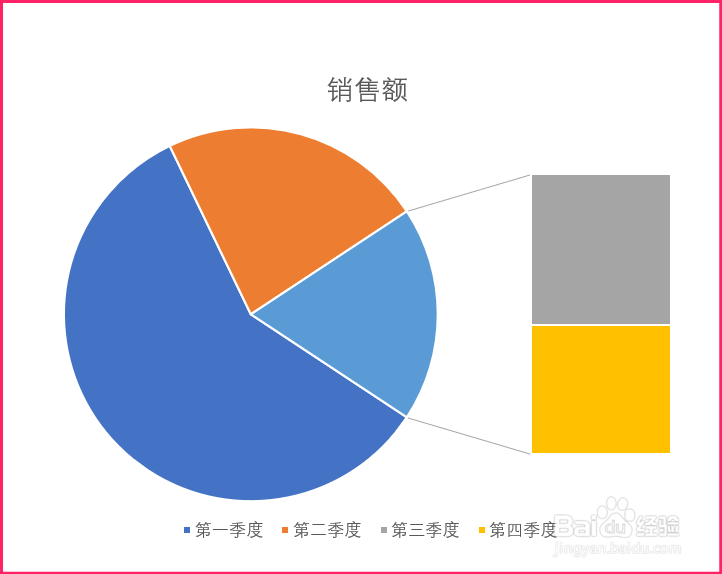
1、打开Powerpoint,插入复合条饼图。
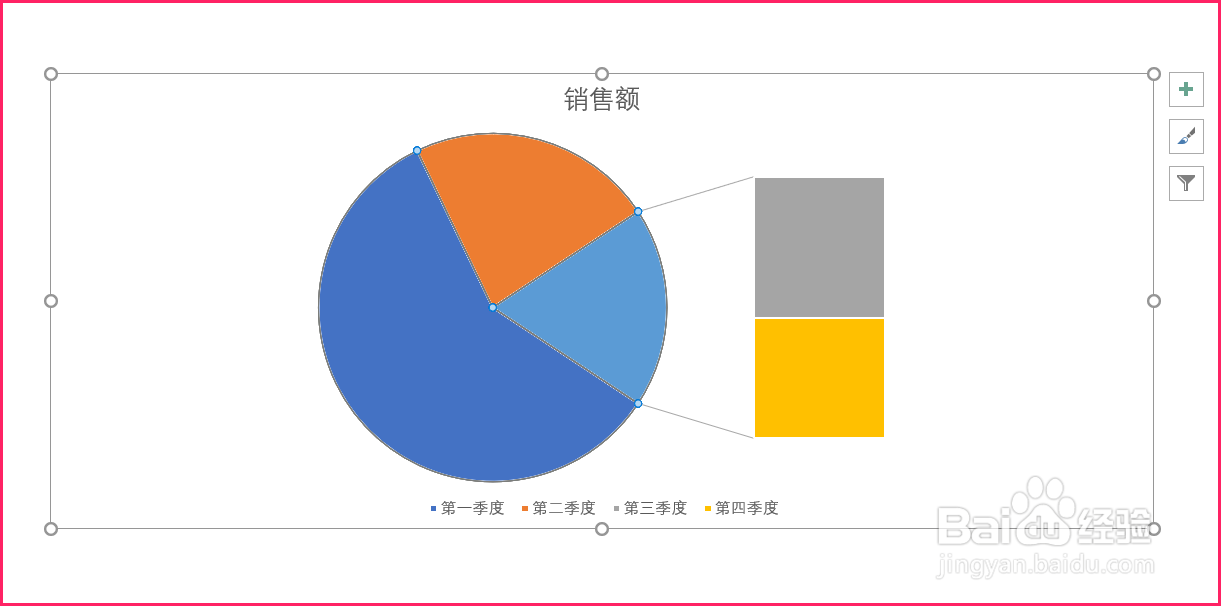
2、选中复合条饼图。激活设置数据系列格式对话框。
3、点击系列选项图标。
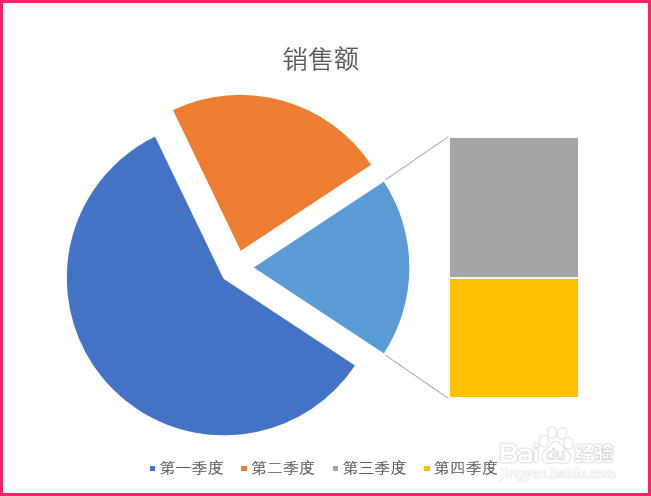
4、拖动饼图分离滑块,设置饼图分离数据。
5、饼图分离就设置好了。
复合饼图怎么分别选取数据
Excel中怎样制作复合饼图
excel表格如何制作复合饼图?
Excel如何制作二维复合饼图
EXCEL中如何调整柱形图中的系列分类间距
为你推荐:
水痘怎么传染
怎么把
为什么脸上会长斑
燕窝怎么炖
biang字怎么写
炖羊肉的做法大全
我的世界地狱门怎么做
老汤的做法
小乌龟怎么养
猪肚怎么做好吃
© 2026 猪猪经验网
信息来自网络 所有数据仅供参考
有疑问请联系站长 site.kefu@gmail.com